The 7 Best Car Camping Apps, Ranked by a Full-time Car Camper
Lala and I traveled and lived in our car for 2 years, and we used our fair share of car camping apps along the way. Now, I want to share everything I learned with you!
In October 2023, we set out to travel full-time across the USA.
We had no idea how long we’d last and absolutely no experience, so there were several apps that helped us a BUNCH.
But there were some apps that were seriously a waste of time…
Read my story to find out:
- Why I only use 1 app for finding free camping
- How we used an awesome weather app to escape Canada
- What rewards apps are a total waste of time
- How to use gas station apps and Google Maps like a pro
- And more!
I found some of these by researching, and others were recommended to me by other road trippers and climbers I’ve met.

What is a Car Camping App?
Other car camping guides out there only focus on apps that help you find camping. And THAT is a serious disservice to people trying to learn how to go car camping.
Those are just one of the types of apps you use for car camping, although they are the most important.
In this guide, I’m going to include all the car camping apps that cover the entire lifestyle.
Because car camping isn’t just sleeping somewhere in your car.
Car camping is saving money, knowing the weather ahead of time, finding trails and staying safe, making planning easier and having a great time in the peace of the outdoors.
So, that’s what you can expect to learn in this guide!
The Best Car Camping Apps
1. Car Camping Apps to Find Camping
There are a LOT of apps you can use to find where to sleep. Some of the most popular are iOverlander, Campendium, The Dyrt and Freecampsites.net (the last one is a website).
All of these are crowd-sourced platforms.
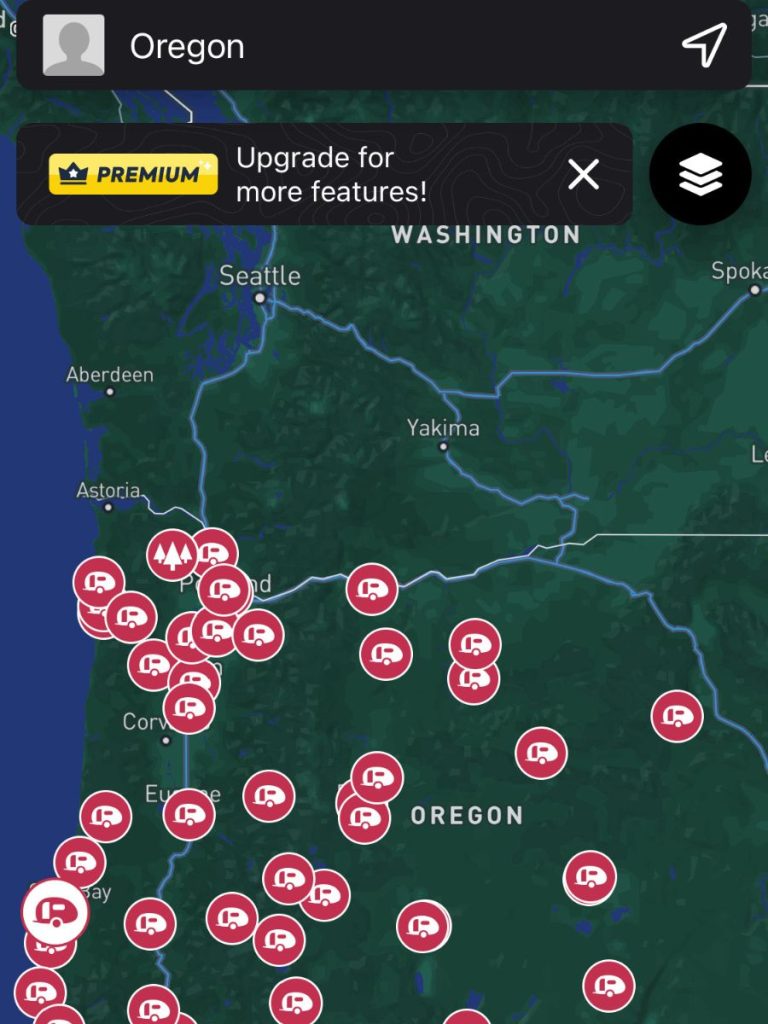
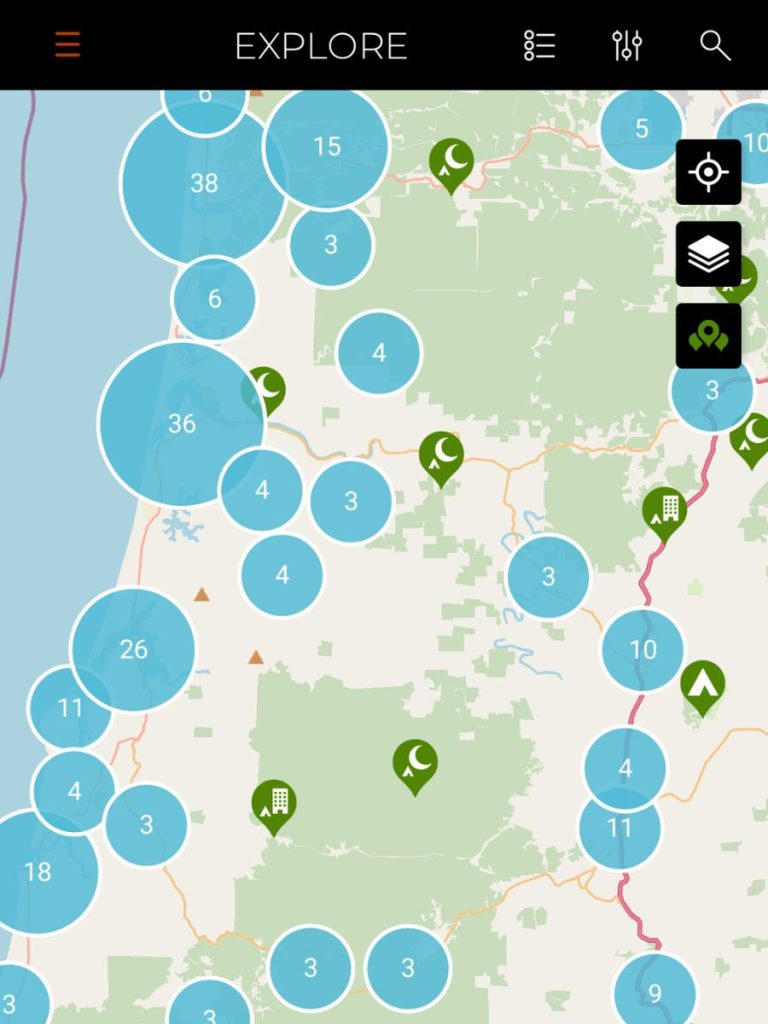
That means all the campsites they show, as well as all the reviews and photos, are from real people who went out car camping and shared all the information on those platforms.
It’s super special if you think about it!
Especially for people like me.
I need to have a plan and get nervous car camping in unknown locations. “Has anyone camped here before – is it even allowed?”
These crowd-sourced platforms give you peace of mind and that counts for a lot.
The Car Camping App I Use
All the car camping apps out there are OK, but they aren’t all ideal because each one caters to a different style of travel.
I first tried iOverlander and Campendium and used them both a lot.
I also tried out Hipcamp and The Dyrt very shortly. And I tried planning a road trip on freecampsites.net once and quickly gave up.
But by end of my 2 years living in my SUV, I was only using iOverlander because it’s the best app for car campers!
Comparison of the Best Apps to Find Camping
Here’s a comparison of all these car camping apps:
Car Camping App | My Verdict |
I never used The Dyrt or Hipcamp because they’re saturated with expensive sites. Of course, there’s a time and a place for that, but I’m big on camping for free – it’s the biggest perk of car camping. I tried out these two apps when I was planning my solo trip around the Pacific Northwest. I thought it would be hard to find free camping, so I was making sure I had lots of options. The problem is that anyone can post a campsite on Hipcamp or The Dyrt – I could post my backyard as a site! But what I found was that they were just as expensive as established campgrounds ($20+). They even have really expensive glamping hotels on there. Might as well be booking.com! And I really couldn’t find free camping through all the noise. I ended up just using the Recreation.gov app and finding LOTS of free sites on iOverlander. So, Hipcamp and The Dyrt are great apps if you’re willing to pay for campsites. I just couldn’t use them for my style of car camping. Don’t use them to find free car camping. | |
The problem with freecampsites.net is that it’s only available on desktop and not very user friendly. Mobile apps are better because you can find a site and quickly get directions to it with a click. Since freecampsites.net is on desktop, it just adds a lot of clicks, tabs and confusion to your road trip planning workflow. The website is also disorganized. It’s hard to see where reviews show up, zooming into the map is a pain sometimes, and sometimes it just doesn’t work at all. It really isn’t worth the frustration. | |
Campendium probably has the best user interface of all these platforms, but it has one problem: the main audience is RVers, not car campers. RVers have a lot more needs than car campers, so you may find it saturated with information you don’t need. Plus, the user base seems to have slightly higher standards (which isn’t all bad). What do I mean? I’ll give you an example. We were looking for a spot to car camp for free near Tucson, and there was a big BLM area near the city. The Campendium reviews said there were a lot of homeless people, it was loud, and they felt unsafe. The iOverlander reviews said it was a good area close to the highway, kind of loud, and really convenient. We decided to stay there and it turned out to be a great spot to camp for free. Yes, it was more crowded than we were used to, but it was like 10 minutes from the city! So, Campendium tends to be a platform you can trust, but sometimes people leave bad reviews for sites that are just fine! | |
iOverlander is the best app for finding free car camping! That’s the main reason why we used it, but it’s also great in a pinch because the offline mode works really well. You can download all the sites of an entire state at a time, which was always more than enough for me. When it comes to the actual sites, iOverlander shows paid sites and all types of free sites, from dispersed campground to the randomest pullouts! And because it shows so many free sites, and its user base seems to have lower standards, it has a lot more low-quality sites. By that, I just mean places that are super random and maybe illegal. So, how did I filter these out? Remember, I never liked staying at super random sites if I didn’t have prior confirmation that they were good. I’m not a hardcore car camper.
By following those three steps, I was able to go SUV camping for free in SUPER random places that turned out to be amazing. |
So, to summarize what car camping app for campsites you should use:
- Use Hipcamp and The Dyrt to find paid sites no matter where you are.
- Use Campendium for a larger selection of paid and free sites that you can trust.
- Use iOverlander for paid sites and an even larger selection of free sites that can be quite off the beaten path.
All these apps have paid versions, but you can get everything you need from the free versions.
2. Car Camping Apps for the Weather
Checking the weather is super important – as much for car camping as for all the hiking, climbing, or whatever you’re doing.
We used two apps for checking the weather – the standard Weather app on iPhones and The Weather Network.
Interestingly, we found the iPhone app to be more reliable in the U.S. and Weather Network to be more reliable in Canada. That’s not a verified fact, but something we felt through using them both.
But there was one weather app we used once that went beyond just checking.
We were in the Toronto area in January and the “lake effect” was hitting hard. The lake effect is when cold air picks up moisture from Lake Erie and absolutely dumps snow on the surrounding area close to Toronto and especially Buffalo, NY.
We were trying to drive from Toronto to Philadelphia but it was impossible with the heavy snow.
That’s when Lala found an app called Weather on the Way.
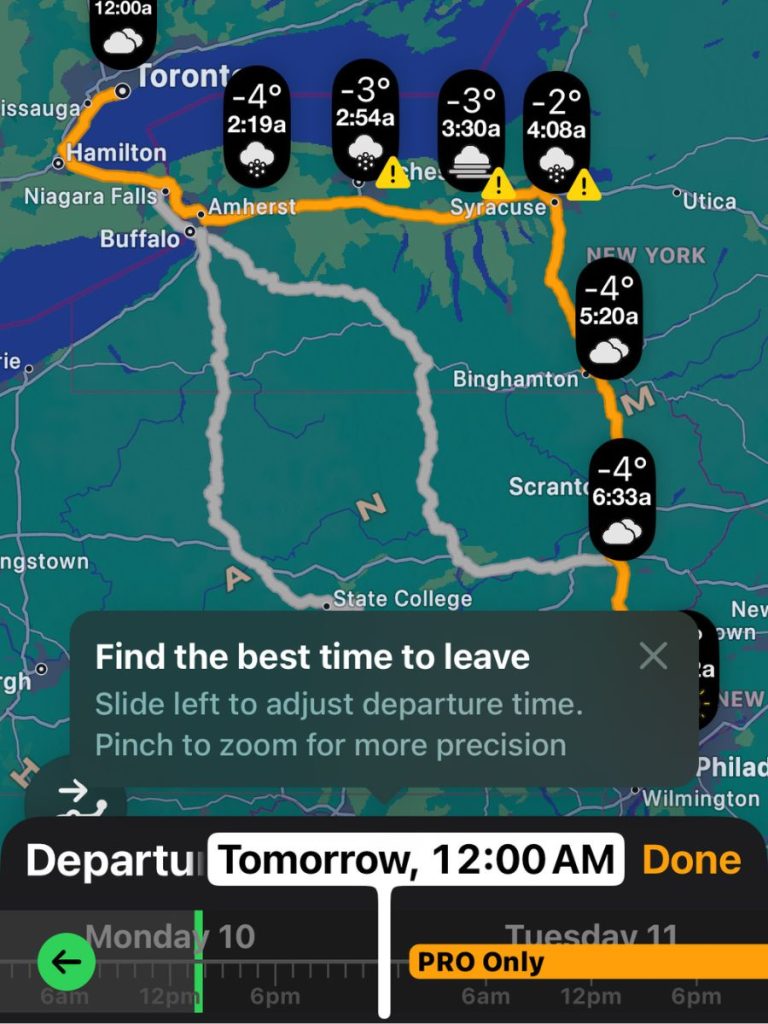
It shows you the weather for on your driving route at the time you’ll be there.
So, for example, our road trip was 8 hours long. By entering our route from Toronto to Philly starting at 6 a.m., let’s say, it would tell us what the weather would be like in Buffalo at 9 a.m. when we’d be passing through Buffalo.
And it would show us the weather in Philly at 2, when we’d be arriving in Philly.
Using Weather on the Way, we were able to find a window of opportunity with no active snowing. We had never driven in the snow, so we really wanted a clear window.
I turned out we had to leave at 3 a.m. on day because it was the only option.
We did just that and it was accurate! Of course, weather is always changing, so we did get some sprinkling.
But using Weather on the Way made us feel really safe despite the crazy weather.
3. Car Camping Apps for Saving that Are Worth Your Time
This is more of a tip for long-term car campers, which is what we were. You could definitely call us dirtbags (in the positive sense of the word, like climbers say).
If you’re car camping, odds are you’re trying to save money.
That was the case for us, anyway. Our 2-year road trip was less about making money and more about traveling and enjoying life (although we still worked a lot).
At some point we had a bunch of money-saving apps.
But some were a waste of time, while others were actually pretty good.
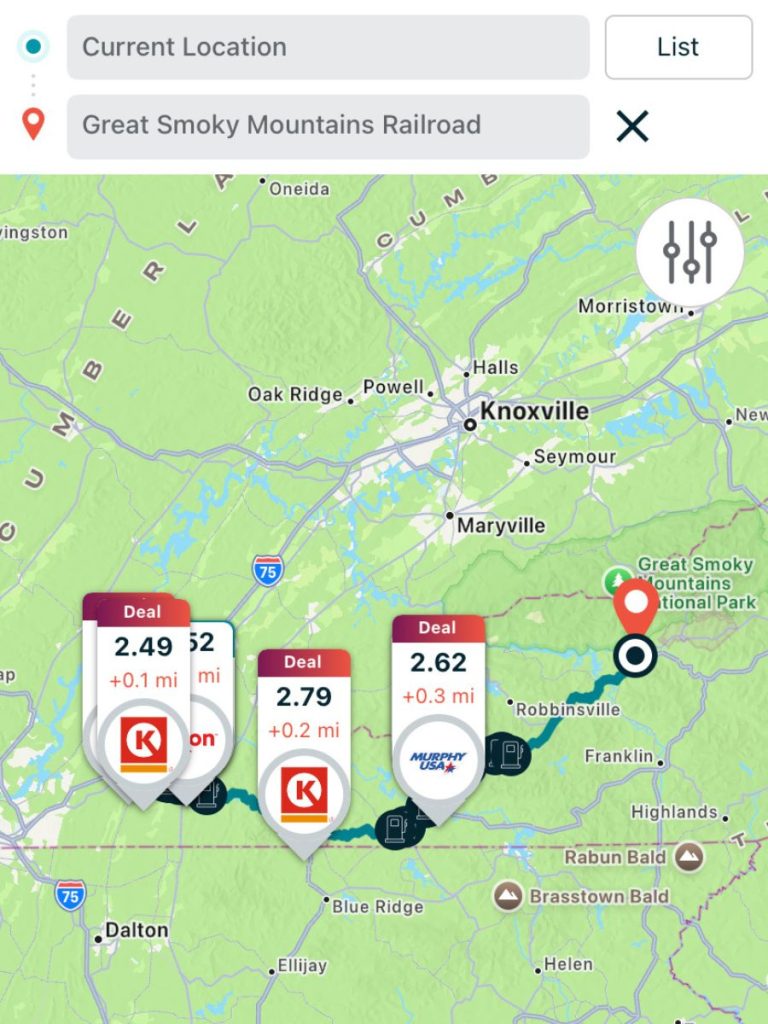
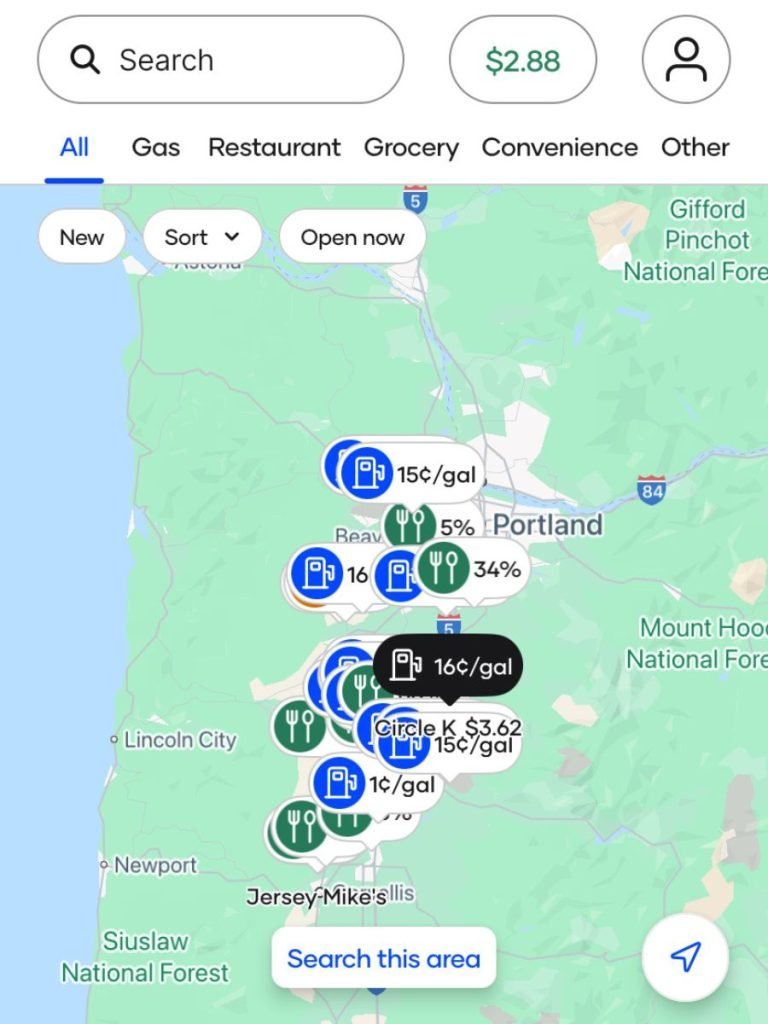
These savings apps were worth our time:
- Upside: this app is actually great for getting cash back on gas stations and some restaurants. It’s real and its easy to get your rewards. However, the best way to save on food is to not eat at restaurants, so we just used it for gas. At some point we were getting rewards from Upside, the gas station apps and our bank (like 45 cents off every gallon). We still use it now that we aren’t car camping full-time.
- Gas Buddy: this gas-finding app was great for seeing all the gas station options along our route and their prices. They say they give rewards, but you either don’t get them or it’s impossible to redeem them. But we still used it to find out where to get gas, especially on the west coast, where gas prices decimated us. We’d use gas buddy to find gas stations and then Upside to get rewards (keep your receipts).
Pro tip: make sure you check your bank for any cash back deals. Some banks have promotions every month with different gas stations or establishments that you might be using anyway!
- McDonald’s: I loved McDonalds because it really made getting coffee cheap. I wouldn’t recommend it for anything else, though. The McDonald’s app almost always has a promo for a $1 large iced coffee that you can use every day. For people like me who love driving with a coffee, this is the way to get it for cheap.
- Chipotle: of all the fast food apps, this was our favorite because Chipotle is somewhat healthy, delicious and offered the best value rewards. I feel like it’s one of the easiest apps to get free food from. I haven’t done the math to say for sure, though.
Savings apps that weren’t worth our time:
Any app like Fetch and Ibotta that give you rewards for your purchases isn’t worth your while.
These apps give you rewards based on what you buy. For example, Fetch gives you points for uploading your receipts, and certain items on your receipts can give you more points.
But the products that give more points are more expensive.
So, it really isn’t worth your while (or your money).
You save WAY more money by buying groceries for your travels at Walmart instead of Publix, and sometimes there’s no difference in quality.
That being said, if you are going to buy name brands no matter what, these apps like Fetch might be worth your time.
AND… I still use Fetch because it’s kind of fun! But it’s still definitely a waste of my time.
4. My Gas Station App Strategy
Gas station apps are great ways to save money when you first download them and sign up.
And saving on gas is something any car camper is constantly trying to do.

So, here’s a strategy you can do if you’ve never signed up for gas station savings and are about to go car camping. It’s really simple:
- Sign up to every rewards app at gas stations you visit. They almost always have really good initial offers (like I got $1 off each gallon on my first 3 fill-ups at Chevron).
- For a while, try to only go to gas stations where you still have those initial offers.
- Sign up for the initial offers again with you partner’s number. We were able to go through all the gas stations’ initial offers twice because it was me and Lala.
- Once you’re all out of initial offers, choose the gas station that gives you the best rewards and stick with that one. For us, it’s usually Circle K. But sometimes Upside has a great offer we can’t say no to and we go to whatever gas station has that deal.
We saved a lot on gas this way over 37,000 miles of driving during our 2 years of SUV camping!
5. Using Google Maps like a Pro
Plans and conditions change all the time when you’re car camping. That’s why it’s extremely important to be able to use Google Maps at all times.
And, though Google Maps is a basic tool everyone has, not everyone knows you can download offline maps. If you know, move on to #6!
And, of course, it’s free.
In the Google Maps app, tap your photo and click on “Offline maps” on the menu. There, you’ll be able to select the area you want to download.
Once it’s downloaded, you can navigate to places within that area without signal!
Offline maps are a great way to stay safe and not get lost!
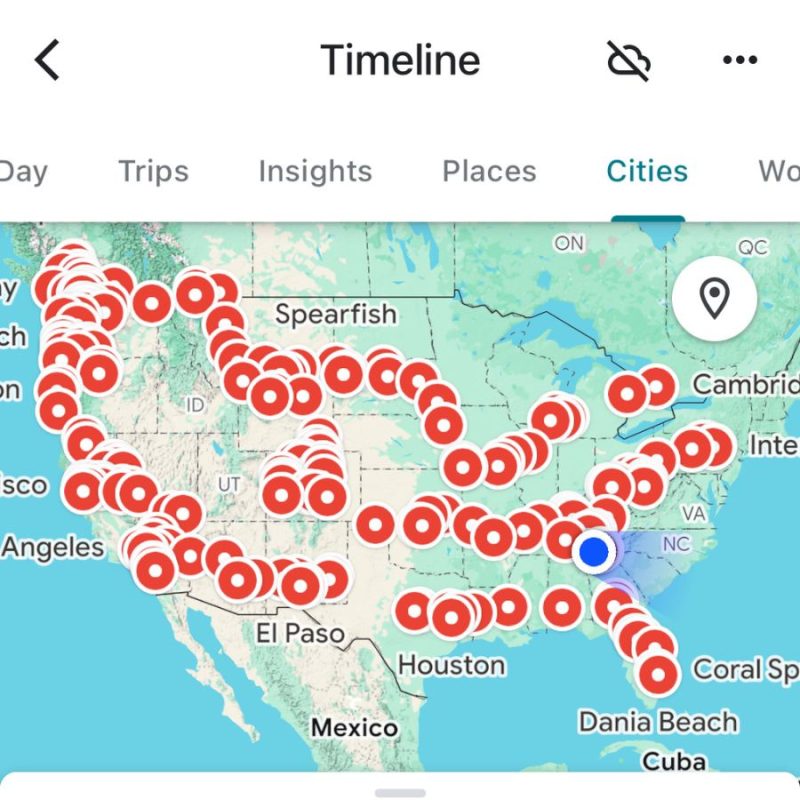
But we also LOVE Google Maps because it drops a pin wherever you review a place.
We love looking back at our history and seeing all the places we’ve been:
6. Trail Apps for Car Campers
I want to talk about my 2 favorite trail apps out there because I know most car campers hike a lot.
One is very popular (AllTrails) and one is severely underrated (the NPS App).
If you’re researching about car camping, I’m guessing you’re outdoorsy. And if you’re outdoorsy, you’ve heard of AllTrails.
It’s a great trail-finding and navigation app for hikers of all levels.
You get a ton of trail info like trail conditions, elevation, and it follows you as you hike so you always know where you are, how far you’ve gone and how much elevation you’ve gained.
It has hundreds of thousands of trails in its database.
The only problem is that it doesn’t work without signal unless you get the paid version.
That’s where the NPS App comes in.
I thought it just had touristy stuff like all the information about each national park. And I knew it had self-guided tours available, which is pretty cool.
But you can also download the offline maps for any park, and it tracks you with GPS just as well as AllTrails! With their super accurate trails, that makes it the most convenient trail-finding app for national parks.
It’s not as comprehensive (like, it won’t show the calories you’ve burned), but it’s great for not getting lost.
We ended up using the NPS App way more than AllTrails when we were in national parks because it’s more convenient.
7. Reading Books on the Road
You don’t have to buy every book you read!
The car camping app I use the most is definitely Libby. It’s where I download library books that I’ve checked out to read on the road.
Before you go car camping, go join your local library or mooch off a friend’s digital library card.
Connect your digital library card on Libby and you’ve got thousands of free books within your grasp.
Waiting for them when they’re all checked out (how does that even happen – they’re EBOOKS!) forces you to read new stuff too, which is cool.
I read 43 books for free in 2 years of SUV camping.
And those are my most essential car camping apps, which I used during 2 years of living in my SUV!
These apps make car camping easier or just better in general.
They get you the most bang for your buck and are actually worth downloading!
Where to Go From Here
Now that you’ve got the digital tools to make your next car camping trip easier, what’s the next step?
- To keep learning about car camping: check out my post on how to stay warm car camping or this guide to the best cars to sleep in.
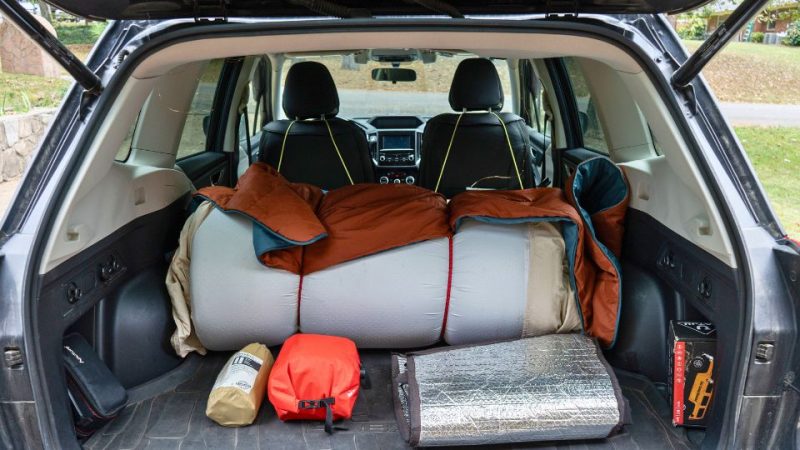
- To start building your setup: read all about my SUV camping bed and simple kitchen setup, both of which I used for 2 years while living on the road.
- To go car camping NOW: download my free car camping checklist that makes packing simple!
This blog is one of the most comprehensive guides to car camping on the internet because I want to help make it easier for you to GO DO IT!
So ask me anything at all in the comments and I’ll be sure to answer!
If you want to travel more, it’s possible! Join my newsletter to gain access to the Gomonos Guide, my personal vault of resources like the car camping checklist, free camping maps and practical emails 2x a month!